
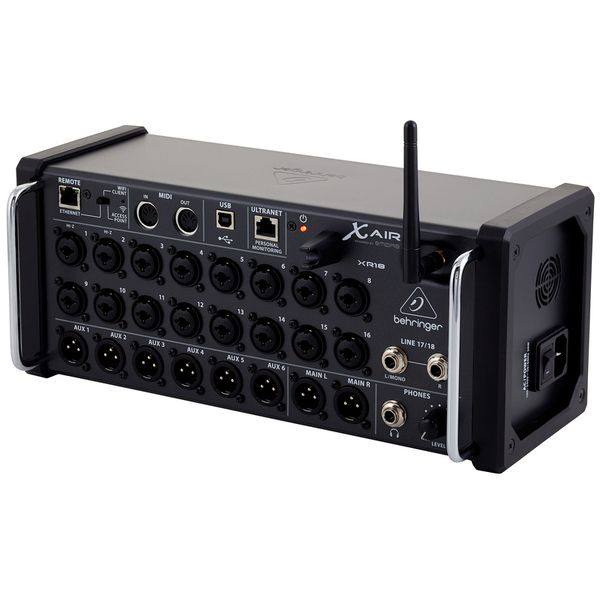
I’m building a small wireless handheld controller for my Behringer XR18 mixer. This first post is about why, and about the ways I considered before settling on one.
Why build this
The XR18 is a compact digital mixer with no physical faders. Normally you control it from a tablet, phone or laptop over its network. That works, but when I just want to nudge one channel I have to pick up a screen, find the right page and aim a finger at a small slider.
When I first saw this mixer at our usual practice, what stood out was the size. It is tiny for a mixer with 18 channels and 6 outputs, and it sounded great. When I praised it, the host said the only thing they were missing was a mute button. I liked the mixer enough that I bought my own XR18, and that missing mute button is where this project started.
In later practices I kept seeing the same problems: dropped connections, sluggish response, people wandering around the room looking for signal. The mixer has its own network, but everyone’s phones were on it, and in a basement with no network extender it was hard to hold a connection from across the room.
While practicing, I do not want to fiddle with my laptop or tablet to mute a channel or adjust levels on my in-ear monitor. And if the guitarist shows up after everything is set up and wants to plug in, all I need is a mute button.
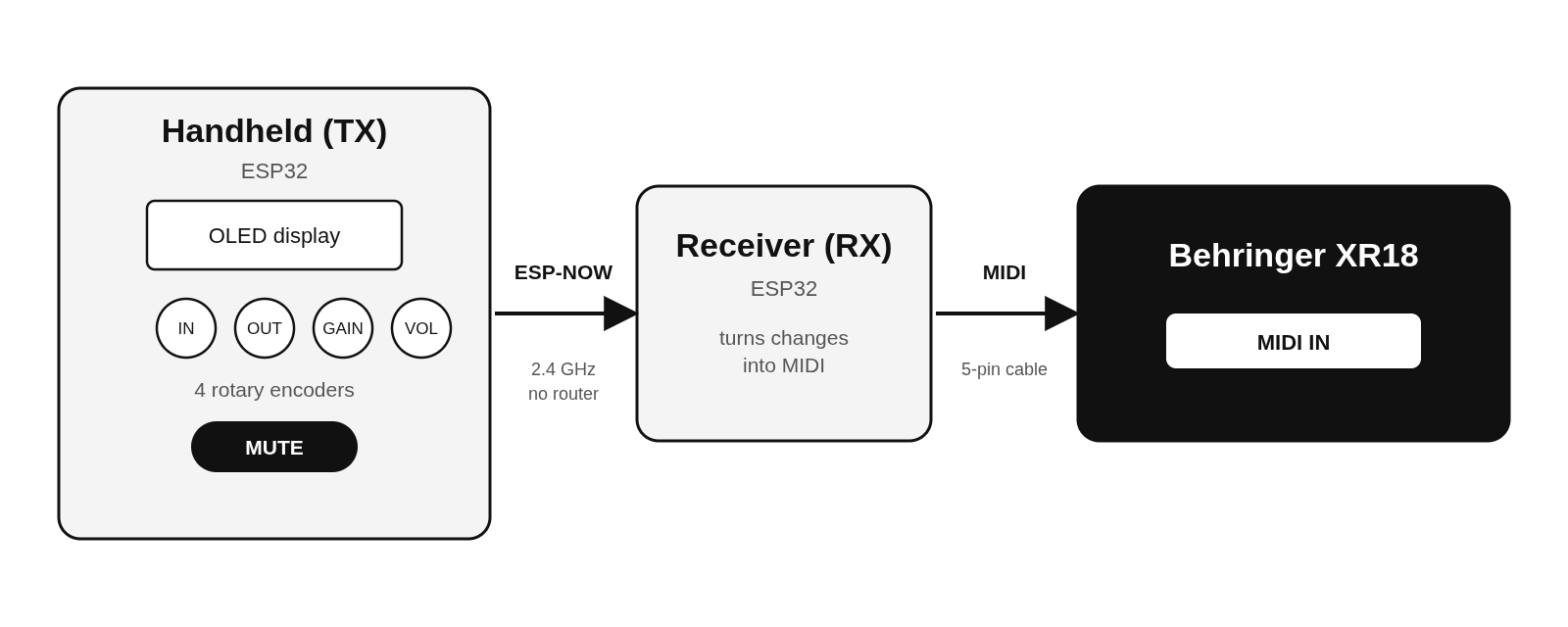
What I want is something closer to a hardware remote: a small handheld with real knobs that I can use during practice. Four rotary encoders for input channel, output, gain and volume, a mute button, and a tiny display to show what I am changing.
Three ways to talk to the XR18
The hard part is not the knobs. It is how the controller gets its commands into the mixer. I looked at three options.
Option 1: the Ethernet port
The XR18 has an Ethernet port that speaks OSC over the network. A small board with an Ethernet connection could plug in directly.
- Pros: a wired, stable link; full two-way control, so the controller can also read the mixer’s current values.
- Cons: it uses the mixer’s only Ethernet port, which is the one a router or access point normally needs; it needs extra hardware and a cable; and a wireless handheld still needs a second radio link to reach the board.
Option 2: joining the XR18’s own Wi-Fi
The mixer creates its own Wi-Fi network. The receiver could join it like a tablet does and talk OSC.
- Pros: no cable to the mixer; full two-way control, including reading values back.
- Cons: the mixer’s built-in Wi-Fi was unreliable at our practices, with lost connections and sluggish response from across the room; the receiver would compete with tablets for the same small network; it needs network credentials and reconnect handling; and anything that goes wrong with the Wi-Fi takes my controller down with it.
Option 3: MIDI
The XR18 has a MIDI input and can be controlled with standard MIDI messages.
- Pros: a plain 5-pin cable with no network at all; the Ethernet port and the Wi-Fi stay free for tablets; MIDI is simple and predictable; the mixer’s documentation lists the commands it accepts.
- Cons: it is mostly one-way, so the controller cannot easily read the mixer’s state back; and less is documented for things like gain and sends, so I will have to test what works.
Why I chose MIDI
I want something that works the same way every time I set it up, without depending on a network I do not control. MIDI gives me that: one short cable between a small receiver and the mixer, and nothing shared with the tablet or the router. The trade-off is giving up read-back, and I will deal with that in the design.
The handheld itself talks to the receiver over ESP-NOW, a direct radio link between two ESP32 boards. It needs no router and no Wi-Fi network, so the whole system works with nothing else switched on.
That is the plan. More to come as it gets built.